For app makers · User feedback
User feedback from real people, in minutes
Get user feedback from outside your team on one screen or message. A user feedback tool is useful when everyone building the product already knows what a button means. We aim for first answers within about 15 minutes in UK daytime; replies can be slower for now.
We review requests by hand.

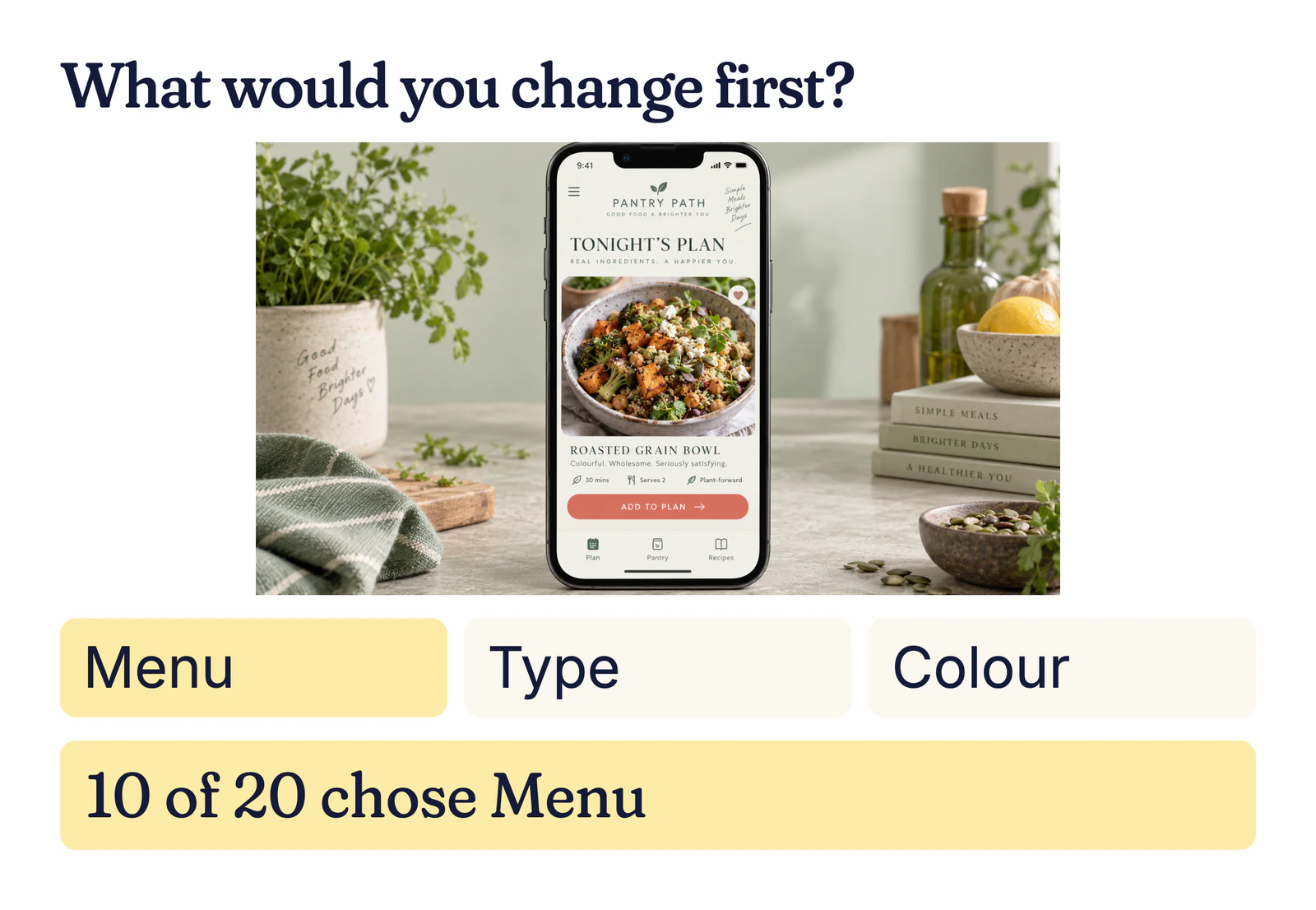
How to get user feedback on one screen
Pick a screen where your team may be filling in meaning that a new visitor cannot see. Ask what the person expects before offering explanations:
- Example: PantryPath asks “What would you change first?” with Menu, Type or Colour as options.
- What would you expect the “Add to plan” button to do?
- How easy does this meal-planning screen look to use, from 1 to 5?
What this user feedback tool returns
Illustrative result: Example: of 20 people, 10 choose Menu, six Type and four Colour. The reasons suggest the route into tonight’s plan is hard to find, while the larger type question is less pressing. The first change to test is a clearer menu label and route, then ask the same question again. A small mixed pool gives direction, not a usability score.
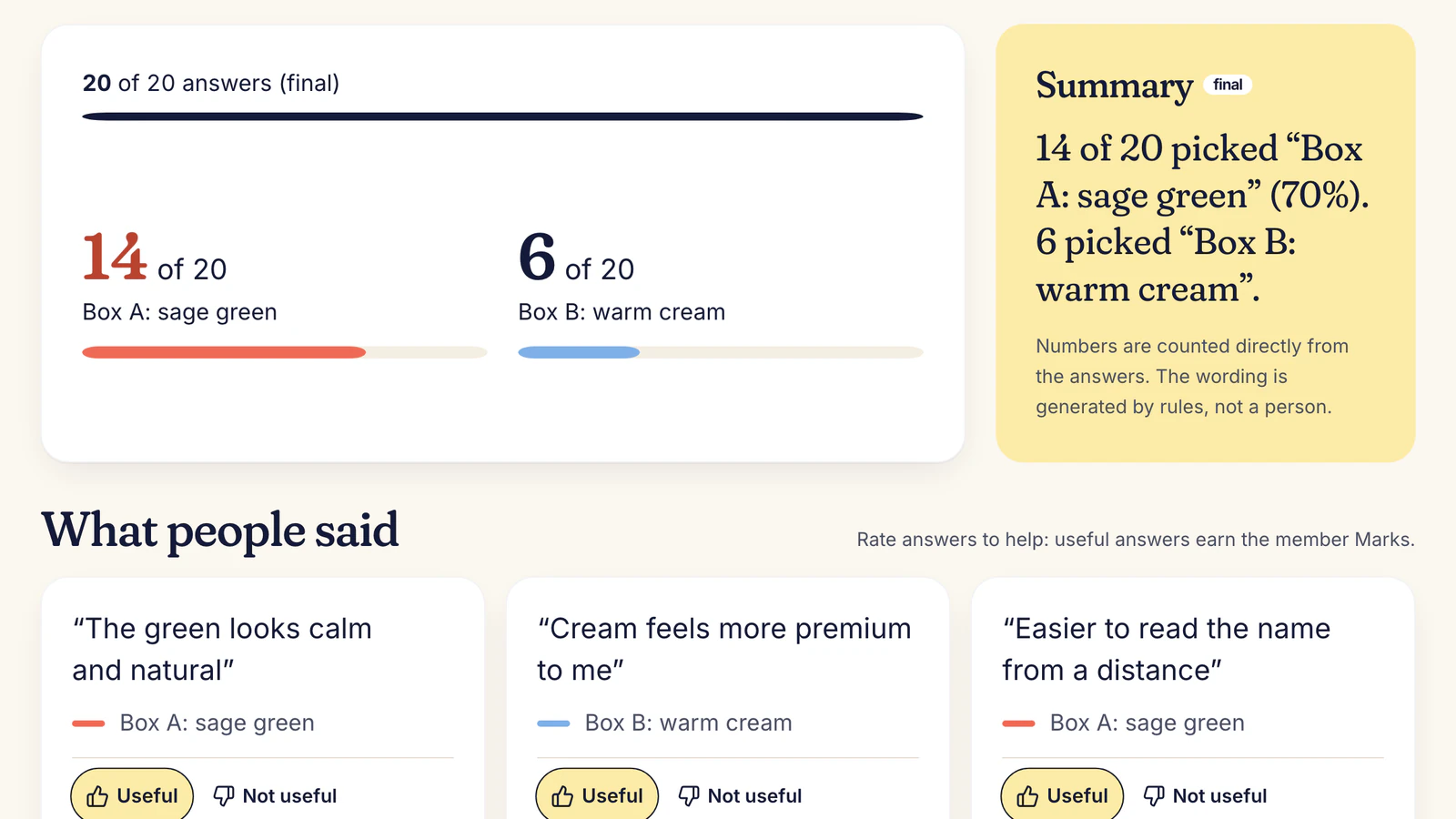
How one short question works
Upload a screenshot of the relevant screen, choose a pool of 5 to 50 verified UK adults and ask one neutral question. A pick-one task can offer two or three options. Members answer blind and add their own reason. You get the split, each reason and a short summary; a signed receipt records the checks each answer passed.
The Ask hub covers other formats.
Why an outside user feedback service helps
A user feedback service can expose an assumption the product team stopped noticing. Ask what someone expects before explaining the intended action. That gives you a better next edit than asking whether the design looks good.
Honest limit: These are outside views from UK adults, not your own customers. People see a screenshot; they cannot click through an app or complete a recorded session today. Do not treat a small split as proof that a flow works.

What it costs
Asking is free during early access, by invitation. At paid launch a quick take starts from 30p an answer plus 50p a question (launch example); 20 quick takes would come to about £6.50. You see the quote before asking.
Your questions, answered
How do I get user feedback quickly?
Choose one decision about one screen, then ask a question that people can answer without learning the product first. PantryPath could ask what to change first, with three concrete options. Read the reasons before changing the menu; a vote alone does not say why someone was confused.
What is a user feedback tool?
It is a way to collect reactions to a product from people who are not on the build team. Here, members see one screenshot or short message and answer a single question. You receive the split and their reasons, not a recording of them using the product.
Can I get feedback from my own users?
Not through this pool. The current group is verified UK adults; targeting existing customers is not available. Use your own customer channels for feedback from people who already know your product, and use this quick test for a fresh reading.
Can testers use my app?
Not in the current quick-take format. Upload a screenshot or short text and ask for a first reaction, a choice or a rating. Live app use, tap tests and recorded sessions are planned for later. Do not use this result as proof that a complete flow is usable.
What question gets useful user feedback?
Ask about a decision you can change. “What would you change first?” with three specific options is easier to act on than “What do you think?” Keep the wording neutral and avoid describing what the screen is supposed to do until after people answer.
How much does this test cost?
During invitation-only early access, asking is free. At paid launch, the example rate is 30p per answer plus 50p per question, so 20 answers would be about £6.50. You see the quote before posting. The quote covers one focused screen question, not a full usability session.
Find out what people really think.
Free during early access. No card needed.
Free during early access. We review requests by hand. Have an invite code? Join